LogoLogoKOL Find
  • Pricing
  • Affiliate
  • Newsletter

Free YouTube Thumbnail Tester & Previewer

Test how your thumbnails actually look across YouTube layouts before publishing. Instantly preview on desktop, mobile, and search results to maximize CTR. Simple web-based previewer helps create eye-catching thumbnails that drive more clicks.

Drop your thumbnail here

or click to select a file

Supports: JPG, PNG, GIF

Max file size: 5MB

Try a sample thumbnail to see it in action

Why Test Your Thumbnails?

Turn viewers into subscribers with perfectly optimized thumbnails

Boost Video Performance
Test multiple thumbnails side-by-side to find your winning design. Track what works and increase click-through rates with data.
Preview Everywhere
Ensure your thumbnails look perfect across all platforms - from mobile feeds to smart TV apps. Test on real device layouts.
True-to-Life Preview
Get the most accurate preview with our 1:1 YouTube layout simulation. What you see is exactly how it'll appear to viewers.

How It Works

Test your thumbnails in 3 simple steps

1
Upload Thumbnail
Upload your thumbnail image or use our demo image
2
Choose Layout
Select device type and preview layout
3
Analyze & Share
Review how it looks and share with your team

Preview Your Thumbnails in Real YouTube Feed

Stand out from other videos before you publish

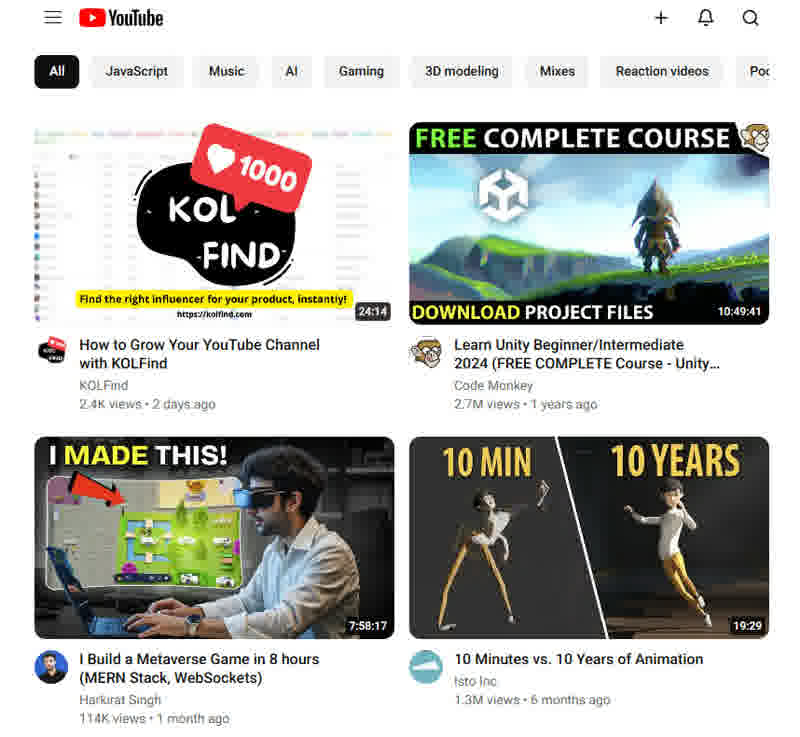
TestMyThumbnails lets you preview exactly how your video thumbnails and titles appear in real YouTube feeds and search results. Compare your content side-by-side with other videos to ensure maximum visibility and click-through rate.

With 500+ hours of content uploaded every minute, standing out on YouTube is crucial. Our thumbnail preview tool helps you test and optimize your thumbnails across different layouts - from mobile feeds to desktop homepage. Make data-driven decisions about your thumbnails before publishing to maximize views from day one.

YouTube thumbnails preview interface

YouTube Thumbnail FAQ

Beginner Essentials

YouTube recommends thumbnails to be 1280x720 pixels (16:9 aspect ratio), with a minimum size of 640x360 pixels. File size should not exceed 2MB. Using the recommended size ensures clear display across all devices.

A good YouTube thumbnail should: • Be clear and high-quality • Accurately represent video content • Include eye-catching visual elements • Use contrasting colors • Have readable text • Highlight the video's value proposition
Essential elements for YouTube thumbnails: • Clear focal point • Relevant imagery • Concise, readable text • Brand elements (if applicable) • High-contrast colors • Emotional trigger or hook
YouTube thumbnails are crucial because they: • Are the first impression viewers see • Affect click-through rates • Impact video discovery • Help build brand recognition • Influence viewer expectations • Can increase watch time
You can start using custom thumbnails once your YouTube channel is verified. To get verified: • Have a clean channel history • No community guidelines strikes • Complete the verification process through phone or email
Custom thumbnails are essential for: • Content creators • Business channels • Educational channels • Brand channels • Anyone seeking professional presentation • Channels focusing on growth

Ready to optimize your thumbnails?

Start testing your thumbnails now and improve your video's performance.

Join our Telegram Community
© copyright KOL Find 2024. All rights reserved.

Find us on

Startup Fame badgeTwelve Tools badgeTurbo0 badgeFazier badgeStarter Best badgeSide Projectors badgeSubmit AI Tools badgeDang.ai badgeAI Finder badgeLaunchIgniter badgeAIStageAI Toolz DirGenifyImglabSora StatsConceptVizStripe Climate badge

Pages

  • Home
  • Opportunities
  • X AI Influencer Hub
  • KOL Search Engine
  • Discover KOLs
  • Dashboard
  • Pricing
  • Affiliate
  • Site Map
  • Top 100 TikTok Creators
  • Top 100 YouTube Channels
  • Top 100 Instagram Creators

Support

  • FAQ
  • Contact Us
  • For Brands
  • For Creators
  • For MCN
  • Feedback
  • Roadmap
  • Changelog

Tools

  • YouTube Thumbnail Tester
  • KOL Search Engine
  • Discover KOLs
  • Free Influencer Search
  • Product Influencer Finder
  • ROI Calculator
  • Similar Influencer Lookup
  • Influencer Marketing Glossary

Legal

  • Privacy Policy
  • Terms of Service
  • Cookie Policy
  • Refund Policy

Friendly Links

  • AgentHunter
  • AI Music API
  • ImaginePro AI
  • Dog Names
  • Readdit Analytics
  • PoseUp AI

KOL Find